
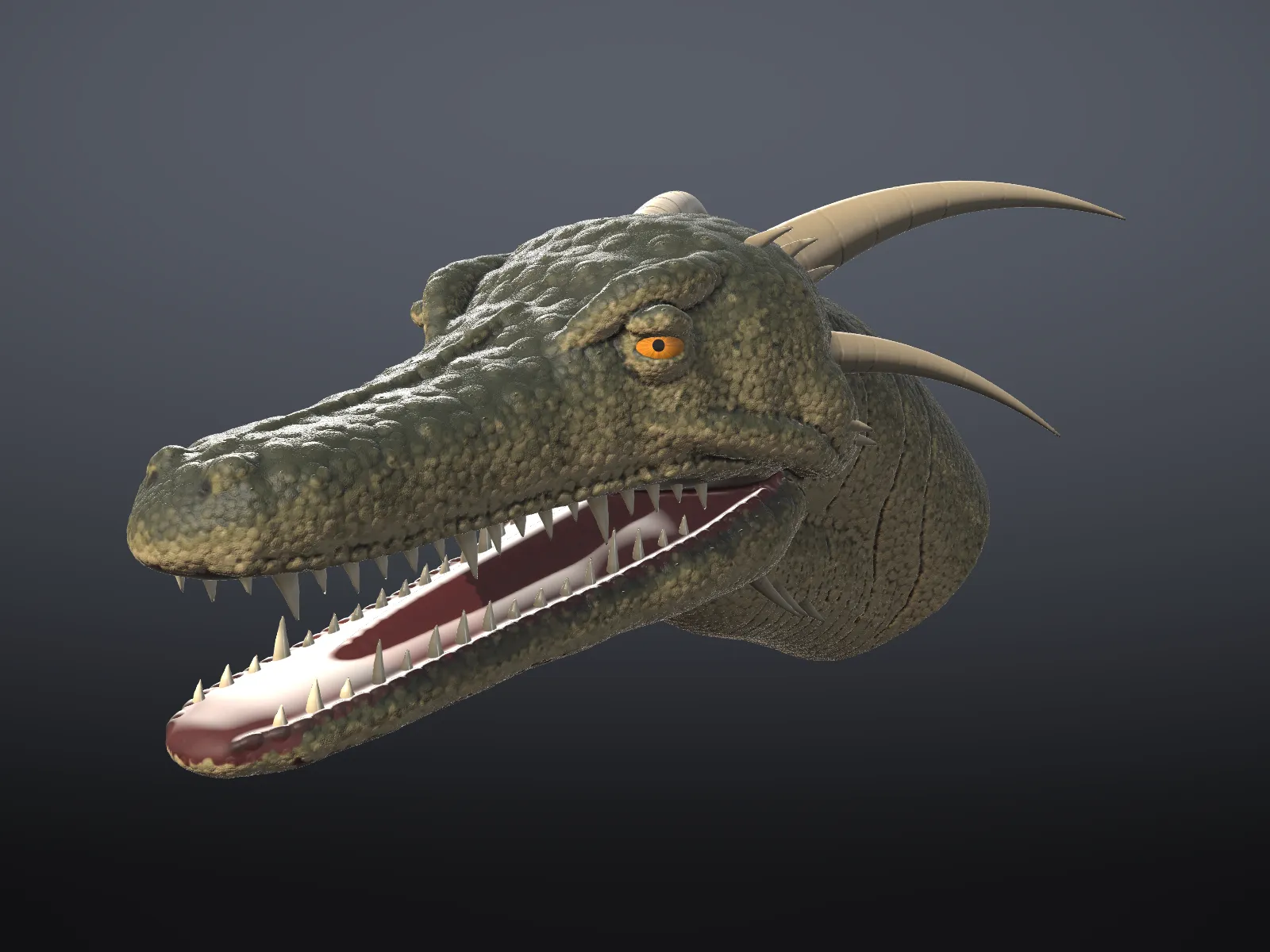
A dragon head with scales
- Level
- Advanced
- Time
- 2 hours
- Version
- Shapeaway 4.0
- You need
- Tablet, 16 GB RAM
- You’ll make
- A painted, scaled dragon head with horns and teeth
- Files
- None, you start from a new sculpt
Forms in clay
Section titled “Forms in clay”- Start from a Sphere at Ultra detail, X mirroring on.
- Grab a long snout forward; pull the jaw down to open the mouth. Carve the inside of the mouth.
- Build the brow ridge and cheek plates with Clay Strips, and Trim them into hard planes.
- Horns and teeth are separate objects: Objects › New, then Snake Hook each horn out from a small ball, and Shape cones for teeth.
- Add eyes with Objects › New eye.
Scales on a detail mesh
Section titled “Scales on a detail mesh”- Select the head, Objects › Detail › Add detail, then Subdivide once or twice.
- Pick the Inflate brush with a Drag stroke and the Scales stamp. Drag along the neck to place rows of scales, sized by the drag.
- For pebbled skin over the snout, use Inflate with the Leather stamp and normal Freehand strokes at low strength.
- Cut the big skin folds at the neck with a wide, soft Crease.
- Use Noise very lightly on the softer skin.
- Fill all with a base green.
- Mask cavities with a small feature size, Invert the mask, and paint a darker green: only the creases take it.
- Mask peaks, invert, and paint a lighter yellow-green on the tops of the scales.
- Give the horns and teeth a Gloss or Clay finish in bone colours.
Next: A character bust with hair.
Was this page helpful?